While working professionally, lots of times, we need to convert PowerPoint files To Word file, but PowerPoint does not allow you to do it directly. If you are searching for how you can convert .PPT to .Doc, then this article is for you.
How To Convert PowerPoint To Word?
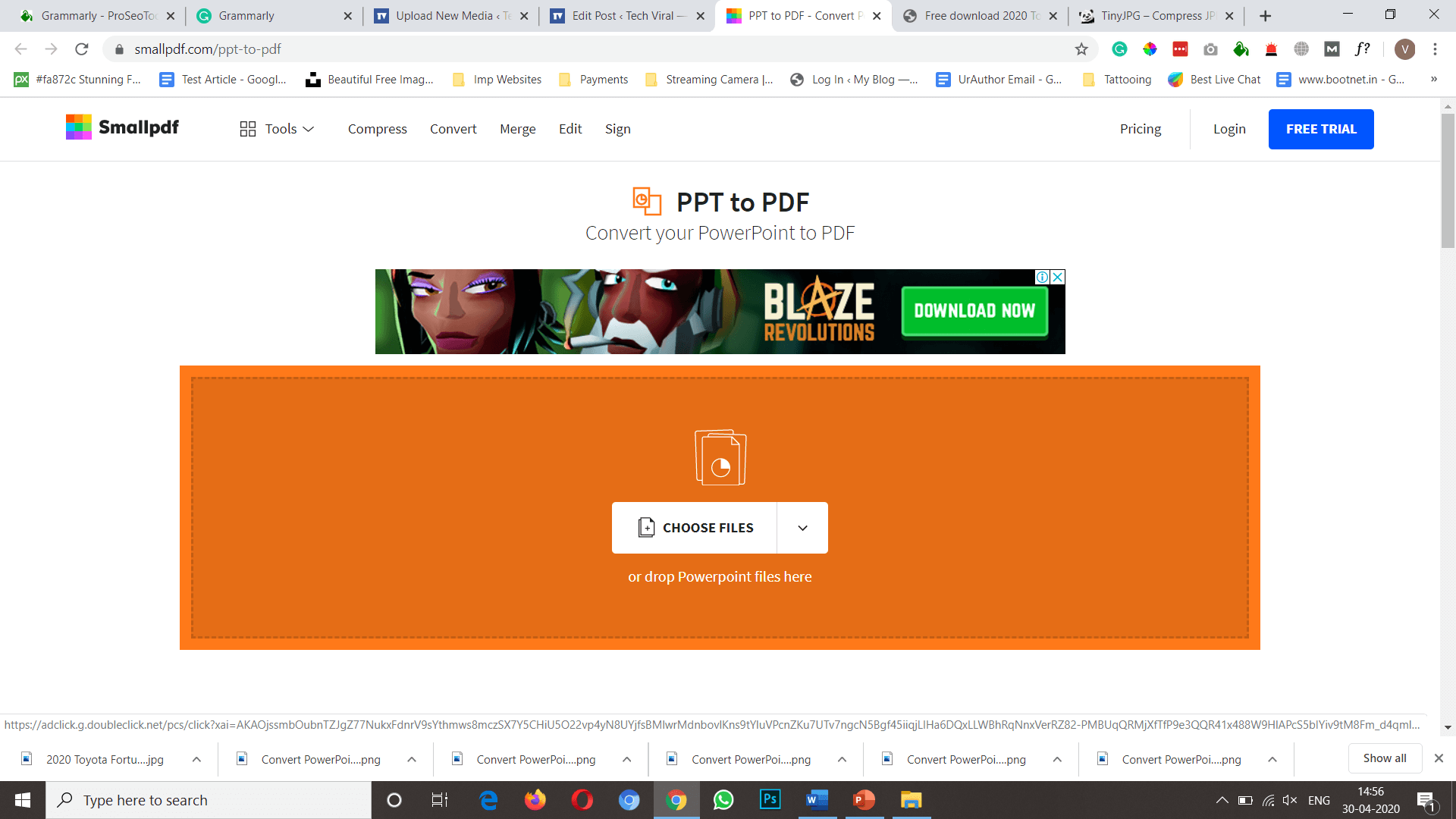
You can convert PowerPoint files To Word file in 2 different ways; we have shared both the way with step by step instructions, just follow the steps & you are done. In both ways, you first have to convert your PPT file to PDF; then you can convert it in Word File.
1. Convert PPT To Word Online
There are tons of online websites available out there that allows you easily convert your PowerPoint file to Word in just few click. Follow the below instructions.
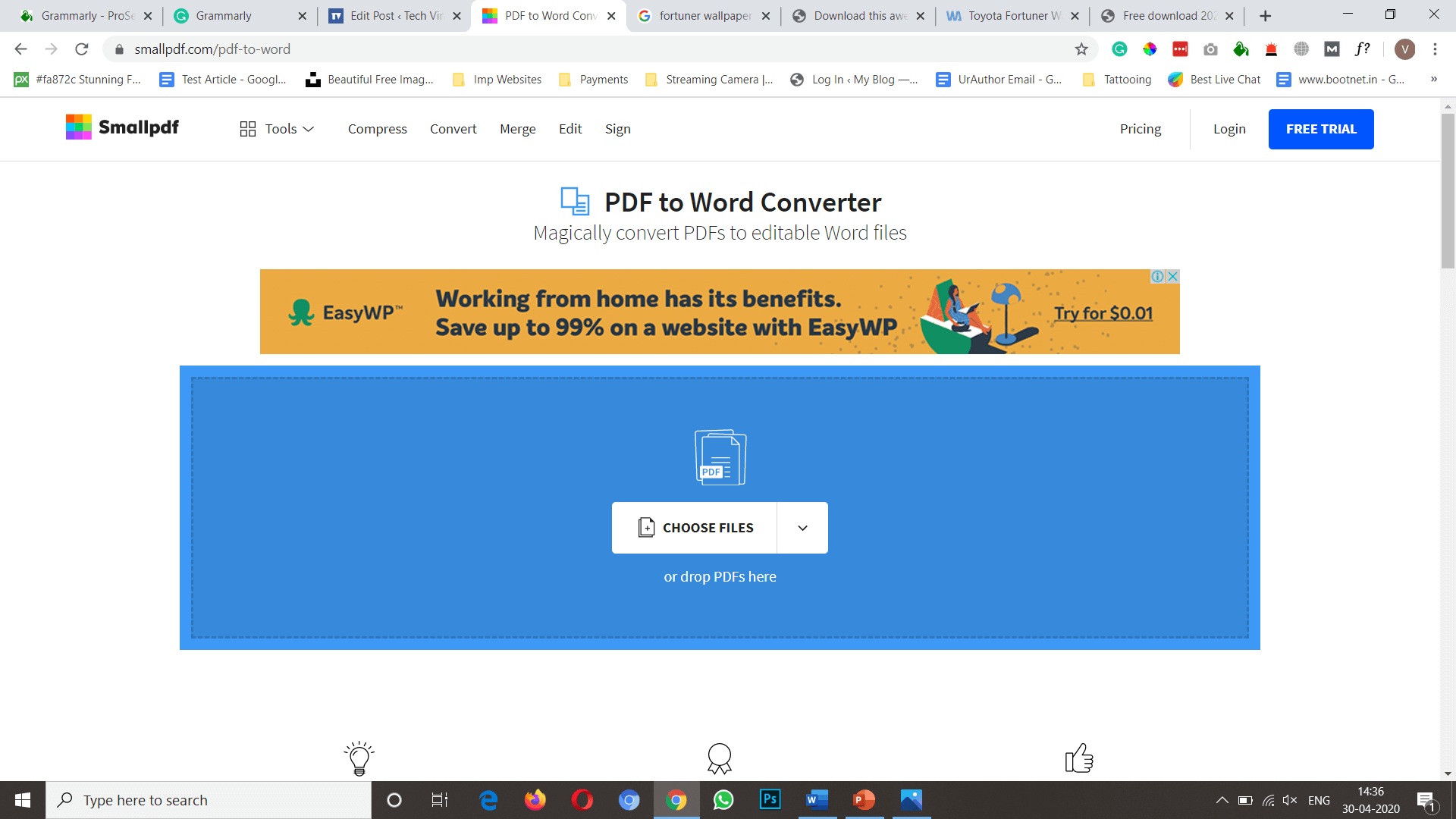
Note: You can not convert directly from PPT to DOC. First, you have to convert your PPT into PDF then PDF to DOC.
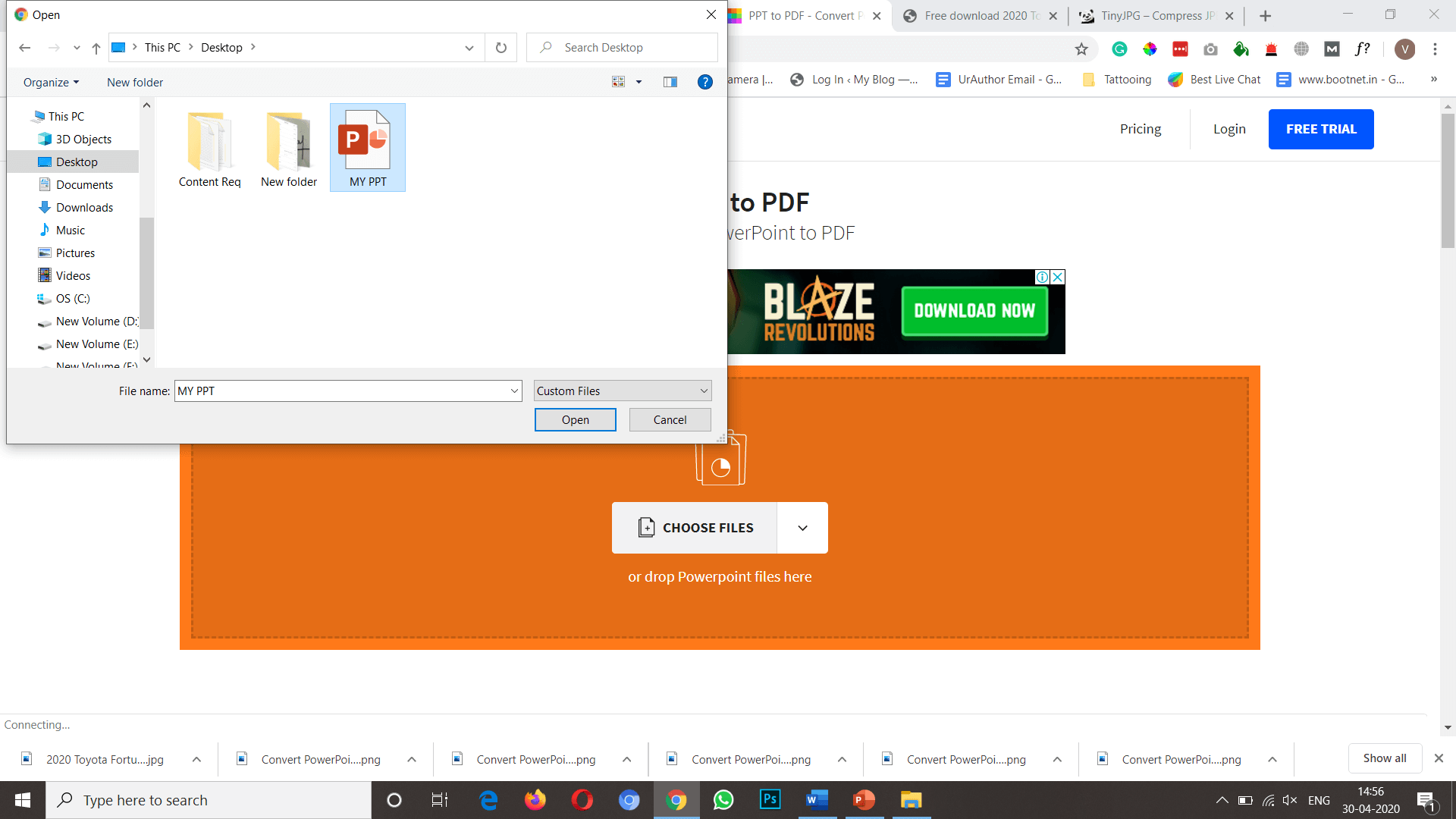
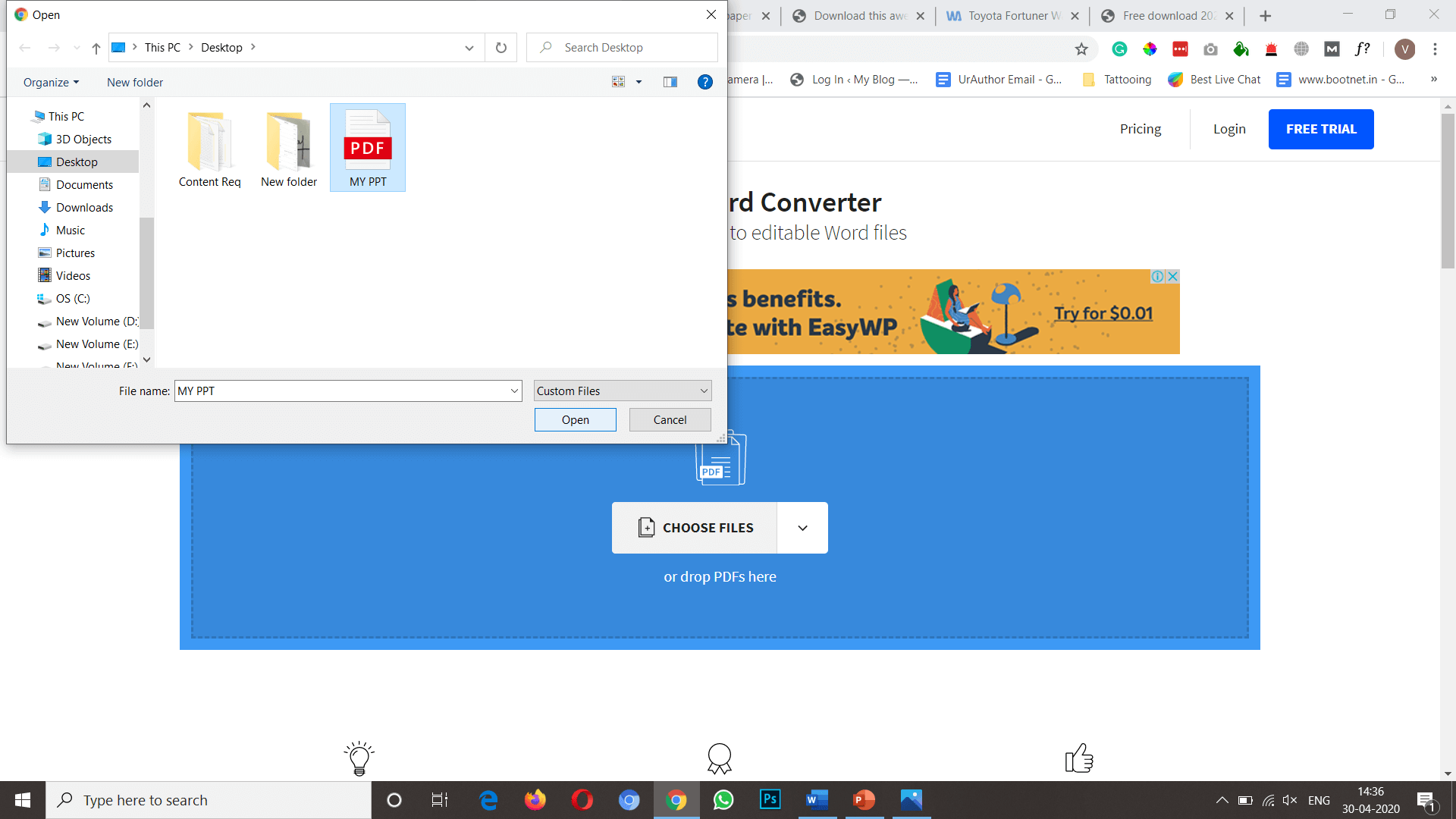
Step 2: Click on choose file & select the PPT file that you want to convert in DOC.
Convert PowerPoint To Word
Step 3: The conversion process will take some time, depending up your file size; after completing, you can download it just by clicking the Download button.
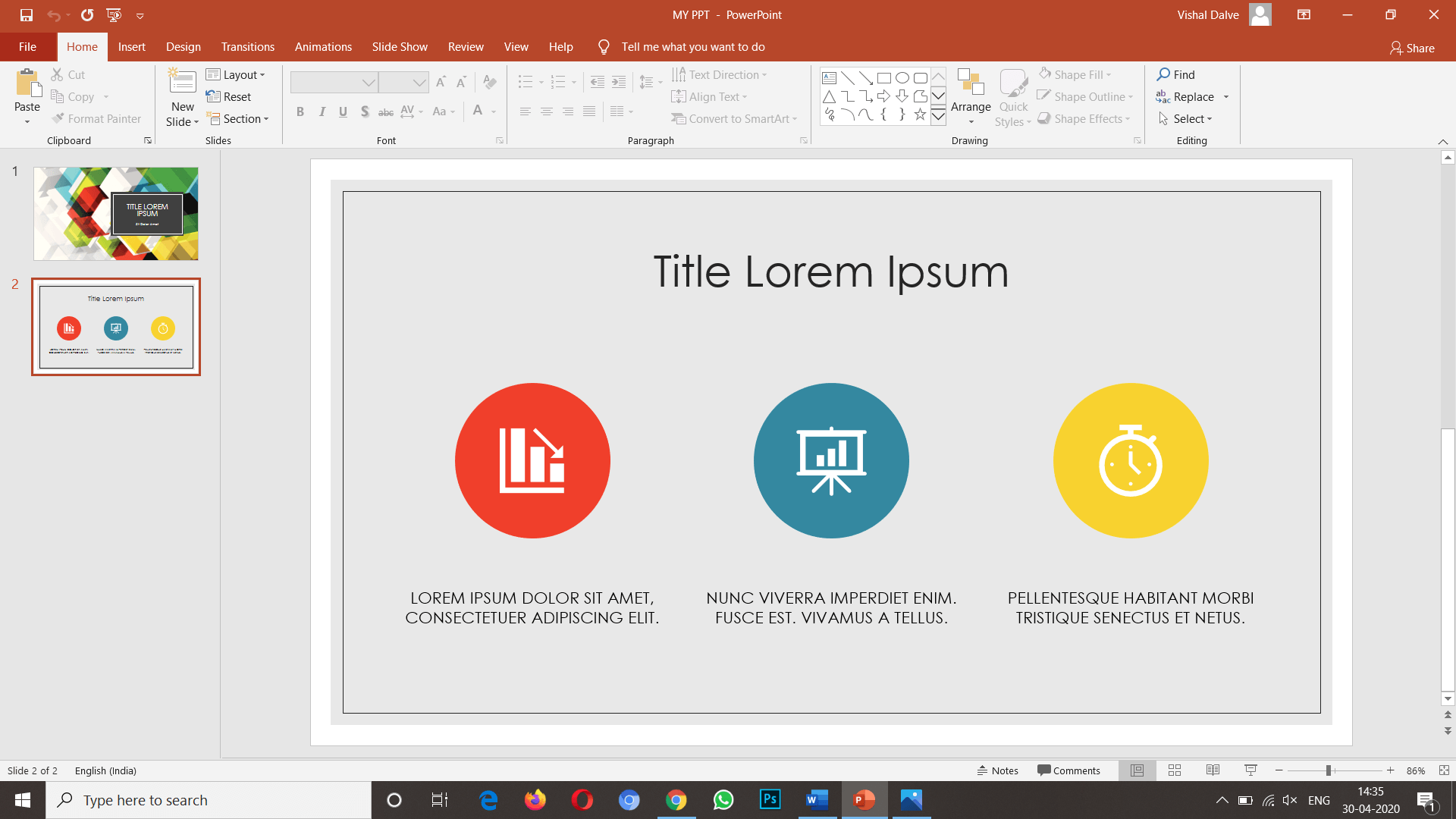
Step 1: Open the PPT in Powerpoint that you want to convert, click on the file menu.
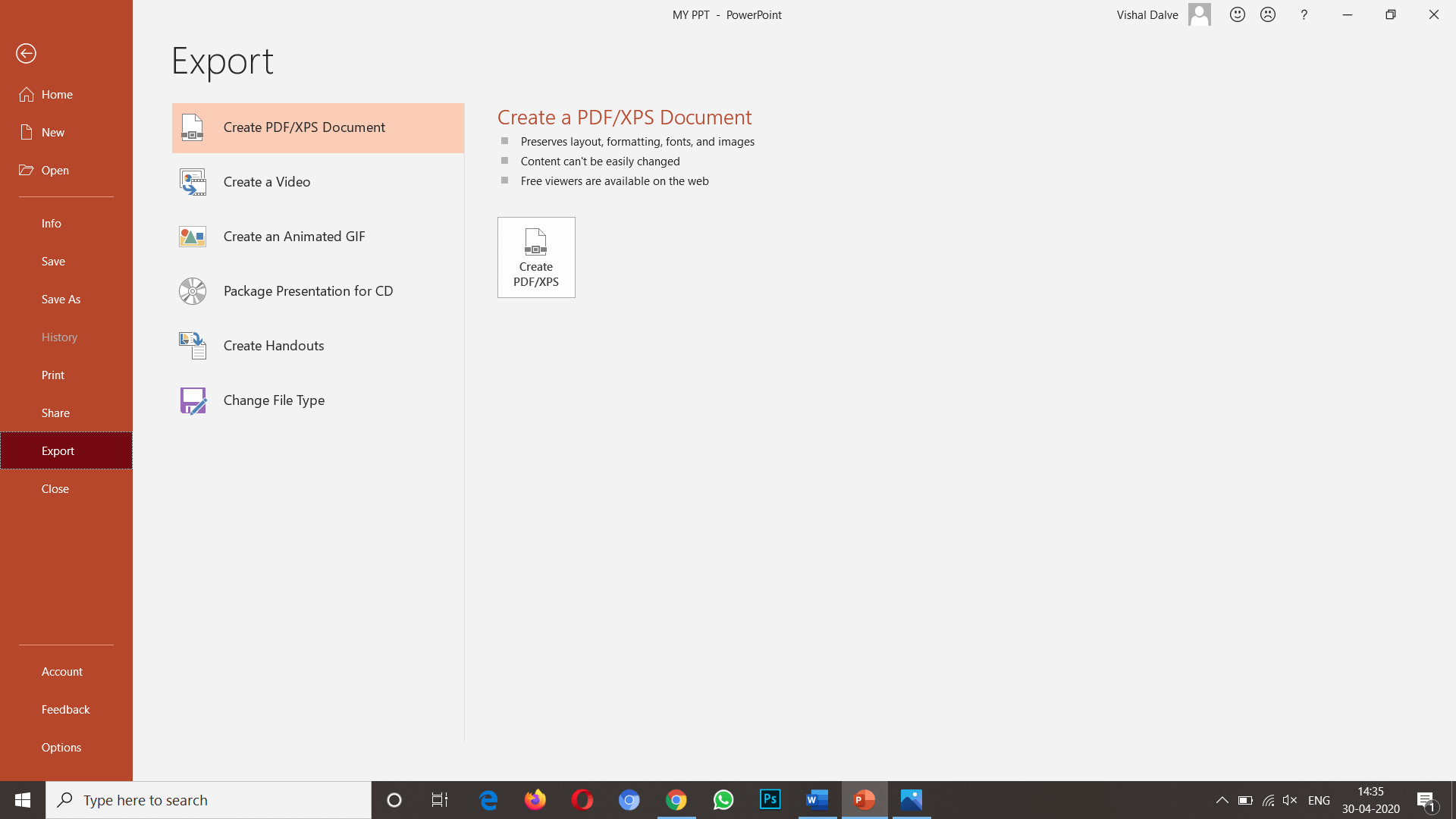
Step 2: In the end, you will get an option as Export, click on that then click on Create PDF/XPS Document.
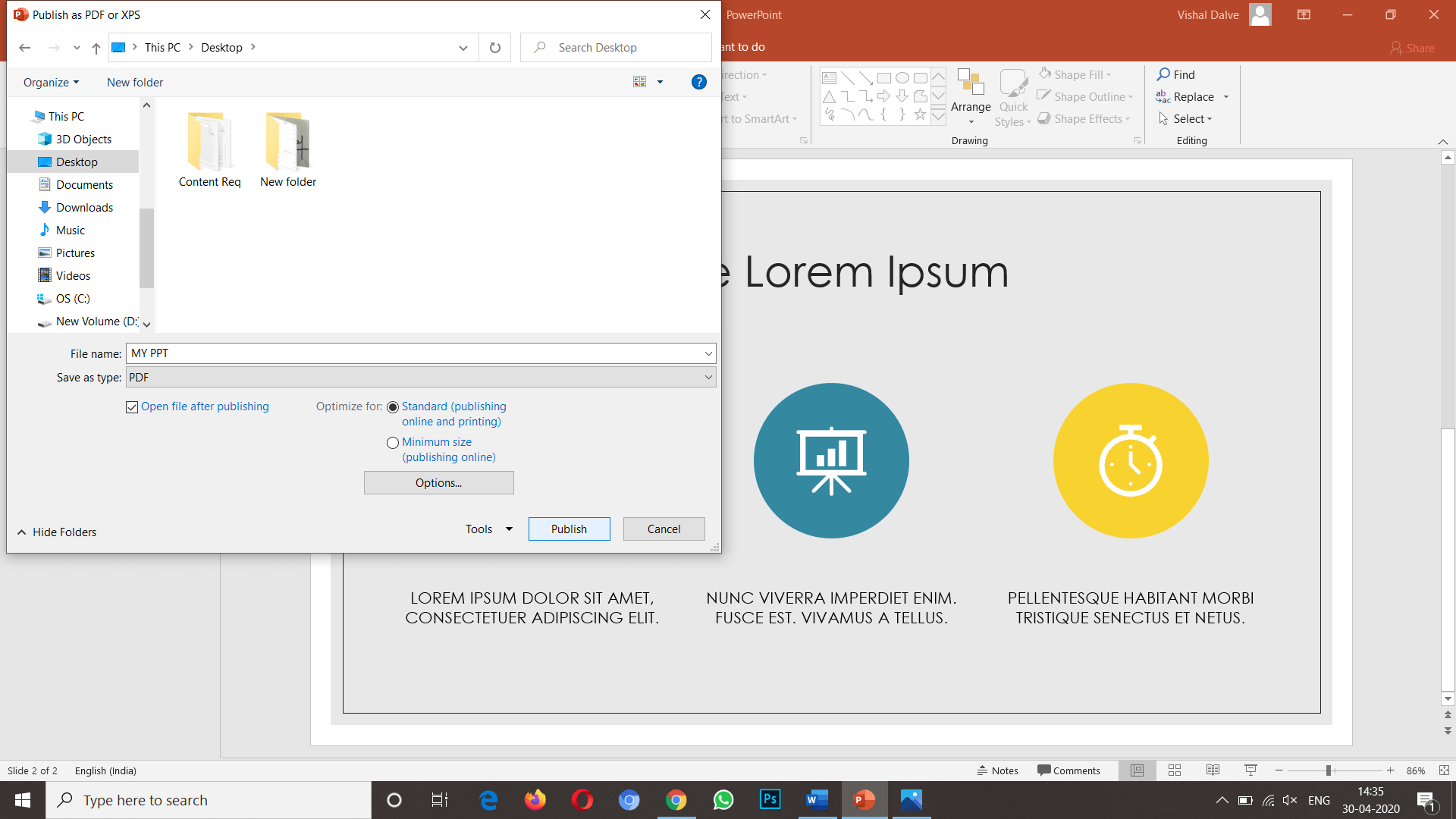
Step 3: From save as window, select the location where you want to save it, click on Publish.
Now you have successfully converted your PPT file to PDF.
You can directly open the PDF file in Word, then save it as Doc & you are done.
That's how you can easily convert PowerPoint files To Word file; We hope this article is helpful for you, If the article is useful for you in any manner do share it on social media, Stay connected with us for future updates.
Students in Mrs. Heringer's 2nd grade did a fantastic job publishing their opinion writing pieces using PicEdu, Apple Clips & Seesaw. The results are creative, engaging videos that tell their opinions and give voice to their stories. Keep reading to see how they did it! Mrs. Heringer's students worked on their opinion writing pieces and drafted their writing on paper. Students used a graphic organizer to organize their thoughts, using the Step Up to Writing method, then wrote finished drafts onto lined paper. Because students' writing was organized into four groups (first, next, then, last), we had them use the app PicEdu to create four illustrations for their stories. We allowed them to use web search, drawing, stickers or the camera to create their illustrations - our main focus was that students created illustrations that made sense with the words they wrote. Once illustrations were done, we showed students how to use the app Apple Clips to finish their projects. If...
Can't see the image via email? Visit the blog here . Try it out! Click this link to take a copy of the file . This technique also works on other Google filetypes (Sheets and Slides). Original URL: https://docs.google.com/a/friedtechnology.com/document/d/1CqUbWOHedWr9WiLO7M4aM9IIDPple1HhDGSx23tzerA/edit?usp=sharing Edited URL (the Force Copy URL): https://docs.google.com/a/friedtechnology.com/document/d/1CqUbWOHedWr9WiLO7M4aM9IIDPple1HhDGSx23tzerA/copy
SolidWorks 2016 Crack Only for SP0/SP1/SP2/SP3 – Since the beta test phase of SOLIDWORKS is completed in 2016 and the obligation of secrecy has been lifted, it is Ow, time to share my new favorite features with you. Like every year, most of the functions on the basis of customer inquiries have been developed. It is also nice to see that functions on the basis of wishes by Cadmes customers were added. SolidWorks 2016 Patch, SolidWorks 2016 Serial Activation, SolidWorks 2016 KeyGen Crack. To install SolidWorks you need Administator account It’s strongly recommended to turn off Windows UAC If your antivirus software is not from the list recommended by SW developers ( http://www.solidworks.com/sw/support/AntiVirus_SW.html ) it’s strongly recommended to turn it off 1. DISCONNECT INTERNET!!! 2. Import the SolidWorksSerialNumbers2016.reg file as administrator to populate serial numbers for SolidWorks products. 3. Mount ISO DVD1 into virtual CD-drive and run “setup.exe” if will not start autom...


Nhận xét
Đăng nhận xét